
MusicGPT – AI Music Generator & Audio Tool
MusicGPT is a platform for generating music, audio effects, voices, and performing edits using artificial intelligence. Here you’ll find its features, legal aspects, our opinion, and you’ll be able to try it out.
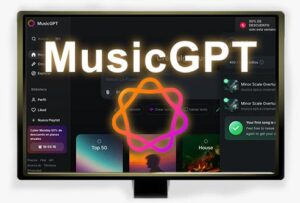 How to Use MusicGPT?
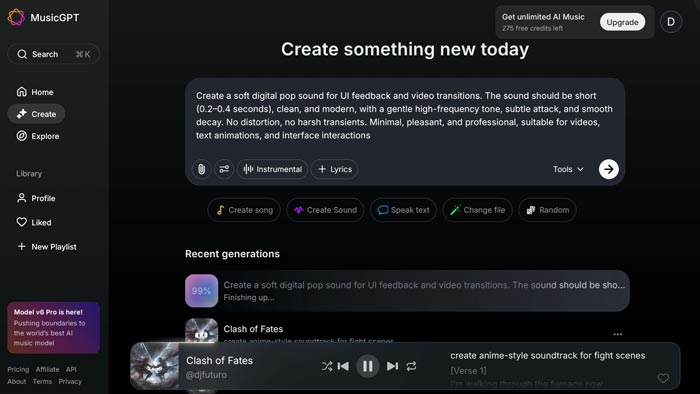
⬇ Access the platform through the link below. You’ll need to sign up, and then you can start generating AI music using a text prompt.
Try MusicGPT for Free
✅ Free to use with limitations.
ℹ You can generate, play, and download for free (depending on credits). For commercial use, a paid plan is required.
ℹ Works directly in your web browser.
Functions & Features:
This is a multi-purpose artificial intelligence platform focused on audio and music generation, mainly driven by prompts.
- Generate complete songs using artificial intelligence from text prompts.
- It can include custom AI-generated voices when specified, which is one of its strongest features.
- It offers additional features such as remixing, replacing parts, or extending tracks.
- It also allows other types of tasks (specified via prompt), such as:
- Stem separation.
- Sound effect generation.
- Audio cleanup.
- Voice replacement.
- Text-to-speech narration generation.
Legality:
Commercial use is not allowed on the free plan.
With paid plans, songs are royalty-free and commercial use is permitted. This license allows any type of commercial use, but the platform does not transfer authorship.
Advantages & Disadvantages:
- The generated voices are higher quality than on many other platforms.
- A wide range of features available through prompts.
- Unlimited downloads on paid plans.
- The Ultra plan has no generation limits.
- The music tends to sound similar.
- Generation takes longer compared to other platforms.
Frequently Asked Questions – FAQ:
DJFuturo’s Opinion
It’s a good option due to the wide range of tasks that can be performed using prompts. If you need music and sound effects for content creation, it can be very useful, and the voice quality is solid. However, overall, the music tends to sound quite similar.
Alternatives to MusicGPT:
- Eleven Labs Music – Generates AI music, audio effects, voices, and more. A leader in voice generation and also very strong in music creation.
- AIVA – Generates AI music using different creation modes instead of prompts, allowing for more hands-on control.
Other Versions Available:
MusicGPT – Genera Música con IA [ES] | MusicGPT – Création de Musique par IA [FR] | MusicGPT – Generatore di Musica AI [IT] | MusicGPT – Gerador de Música com IA [PT-BR]
Leave a Reply