
Download LilyPond for Windows & Mac
Download LilyPond, a free and open-source music notation software. Create high-quality sheet music using text-based code. Available here for Windows and Mac.
 How to Download LilyPond?
⬇ Simply click one of the buttons below depending on whether you’re using Windows or Mac. The download will start instantly.
Download LilyPond for Windows
Download LilyPond for Mac
✅ This is the latest version available.
✅ Fast and secure download, the link comes directly from the official source. Check all the details here.
ℹ LilyPond is completely free. It’s open-source software.
ℹ Recommended system: Windows 10 or macOS 10.15 and above.
✅ Fast and secure download, the link comes directly from the official source. Check all the details here.
ℹ LilyPond is completely free. It’s open-source software.
ℹ Recommended system: Windows 10 or macOS 10.15 and above.
Key Features & Capabilities:
- Free and open-source software.
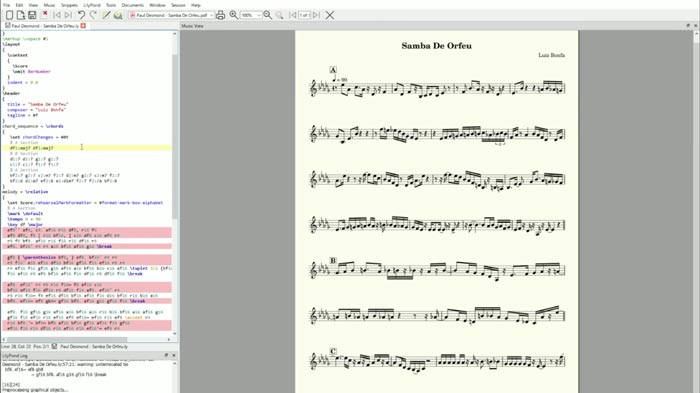
- Produces high-quality sheet music with a professional, engraved-style appearance.
- Automatically handles layout elements such as spacing, staff lines, page breaks, and measures.
- Smart handling of note placement, collisions, slurs, and more.
- Write music using text-based notation instead of drag-and-drop editors.
- The code is compiled to generate sheet music output.
- Export to multiple formats:
- Images (SVG or PNG)
- MIDI
- Supports a wide range of music notation styles, from traditional to advanced.
- Batch processing for automated sheet music generation.
- Customizable fonts and engraving styles.
- Integrates with notation editors like Frescobaldi or Denemo.
- Compatible with Windows, Mac, and Linux (see official site for all versions).
Frequently Asked Questions (FAQ):
DJFuturo Review:
The engraving quality is outstanding, producing visually professional sheet music. The software is also highly flexible for all types of notation.
The main drawback is the learning curve, it takes time to understand and use its text-based language. Additionally, making quick edits is less intuitive compared to visual notation editors.
Related Resources:
- Explore Noteflight – Online sheet music editor with a free version
- Download Dorico – Professional music notation software
- Best music notation software
Other Versions Available:
Descargar LilyPond [ES] | Télécharger LilyPond [FR] | Scaricare LilyPond [IT] | Baixar LilyPond [PT-BR]

Leave a Reply